
Find the right table
Open a BIN with its legacy .tbl or v2 .tpl definition. Browse category and group menus, or search table names across the calibration.
Public beta · vintage Mopar ECUs
Spool puts calibration tables, curves, and maps in a modern editor for Chrysler and Mopar turbo ECUs. Inspect the bytes, make deliberate changes, and save a checksummed BIN for your flashing workflow.
Beta software. Keep your original BIN, verify table definitions and values for your ECU, and review every change before flashing. A valid checksum does not mean a tune is safe. Use at your own risk.
See named functions and their source bytes
Edit curves, constants, flags, and 3D maps
Save with supported ECU checksums refreshed
What you can do
Browse the calibration by name, see its shape, and keep the edit tied to the underlying ROM bytes.
Open a BIN with its legacy .tbl or v2 .tpl definition. Browse category and group menus, or search table names across the calibration.
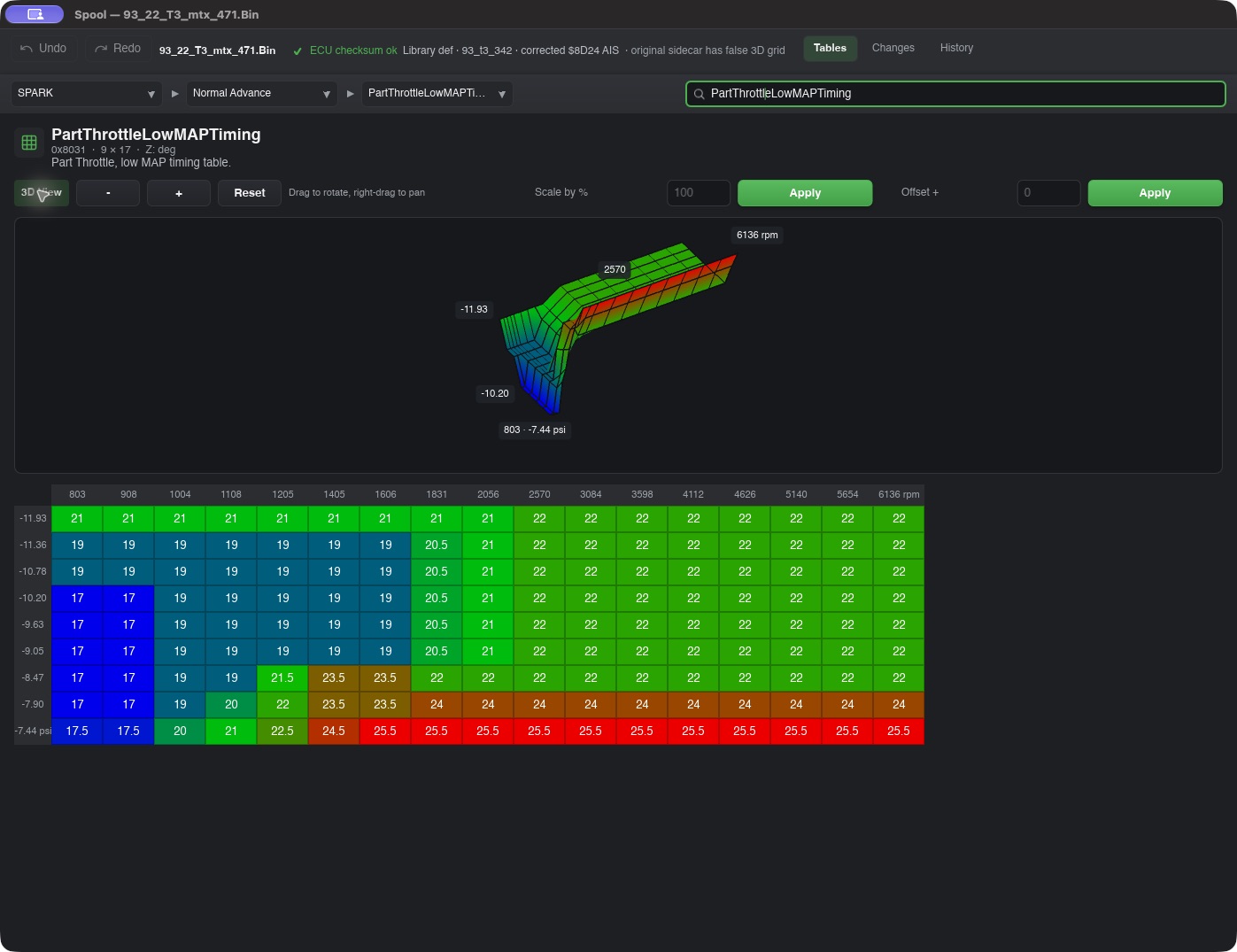
Inspect labeled 2D plots, editable values, color heatmaps, and rotatable 3D surfaces. Axes show calibrated units where the definition supports them.
Edit grid cells, curve points, constants, choices, and flags. Scale a table by percentage or offset, then review changes with Undo, Redo, and History.
Injector and MAP sensor wizards rescale flagged tables as one operation and report which tables changed.
Cal Explorer shows per-table lookups for RPM, MAP, temperature, and other inputs used by that calibration, with links back to the active cells or curve segment.
Open MPScan .mpl or CSV logs, scrub channel traces, and send a sample’s inputs into Cal Explorer.
Inside the editor
The same table can be read as a plotted response and edited as exact values.
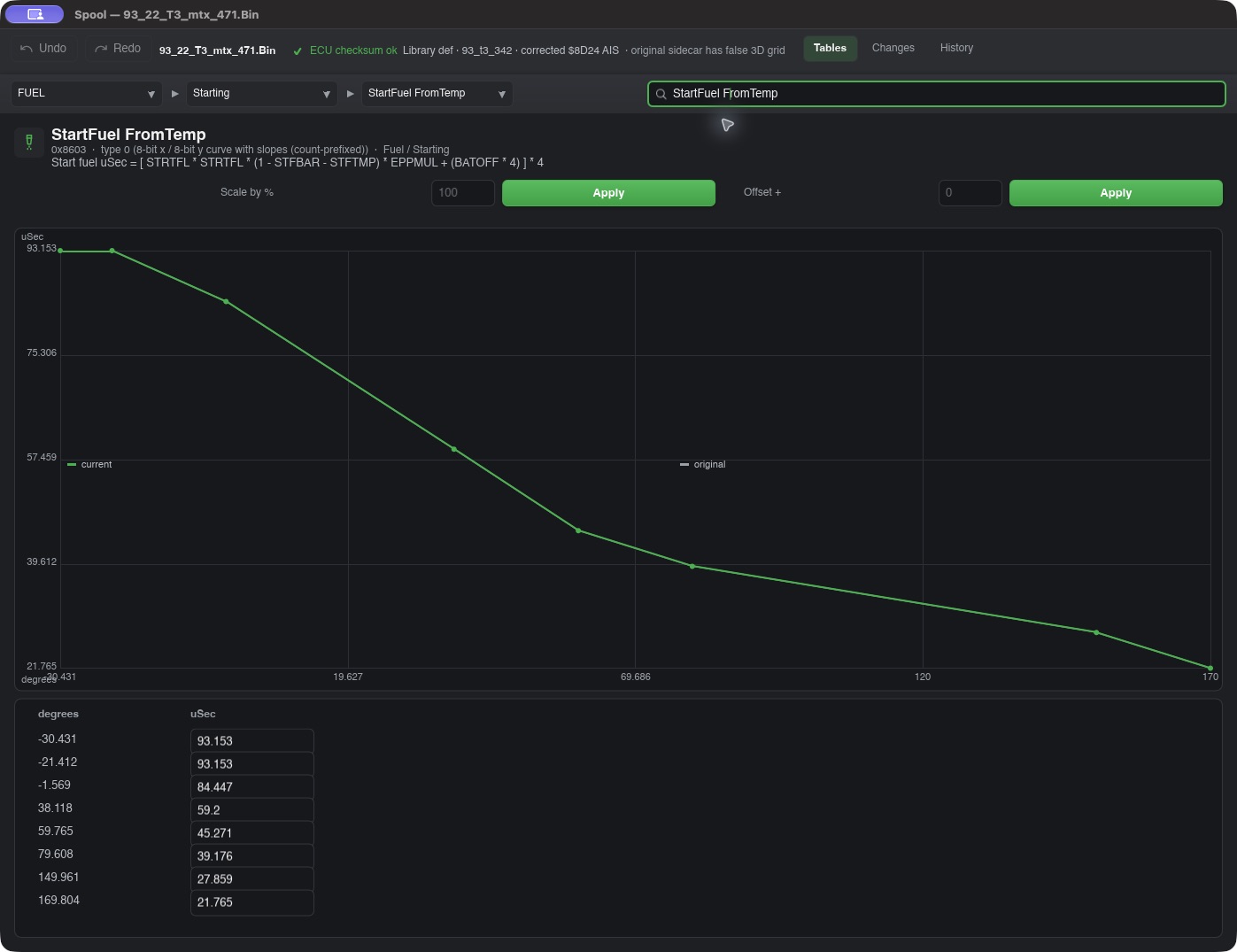
Screenshots use an archived T3 BIN. An archive name does not establish a factory calibration; community files can include aftermarket changes. Some historical table labels and engineering scales remain under review.
Byte-aware editing
Spool checks supported ECU checksum schemes, updates the checksum after an edit, and verifies table codecs against archived BIN fixtures. You can inspect changed tables before saving. Hardware flashing and live serial scanning are not part of this release.
Current beta · 26.9.2
Choose the installer for your system. The in-app updater verifies the download size and SHA-256 before opening it.
Use at your own risk. Back up your original BIN and verify the calibration against your ECU and hardware before flashing.
Developer ID signed, notarized, and stapled DMG.
Download DMGWLAN GEEKS LLC signed and timestamped installer.
Download EXENative NUC build for Debian or Ubuntu, with a portable archive too.
Download DEB Portable tarballUpgrading from 26.9.1 or earlier? Install 26.9.2 manually once. Older builds check the former GitHub Pages address; 26.9.2 checks this site for future releases.